




📡 MQTT Antena
MQTT Antena is a simple, modern, web-based MQTT client application built with Python and Flask. It allows users to manage multiple MQTT broker connections by connecting to a broker, monitor real-time message streams, and publish messages through a clean web interface. It is intended to be used as a development/analysis tool for self-hosted MQTT-based applications. It is very useful for testing and debugging IoT messages between sensors and applications.
You can use it as a standalone application or as a Home Assistant add-on.
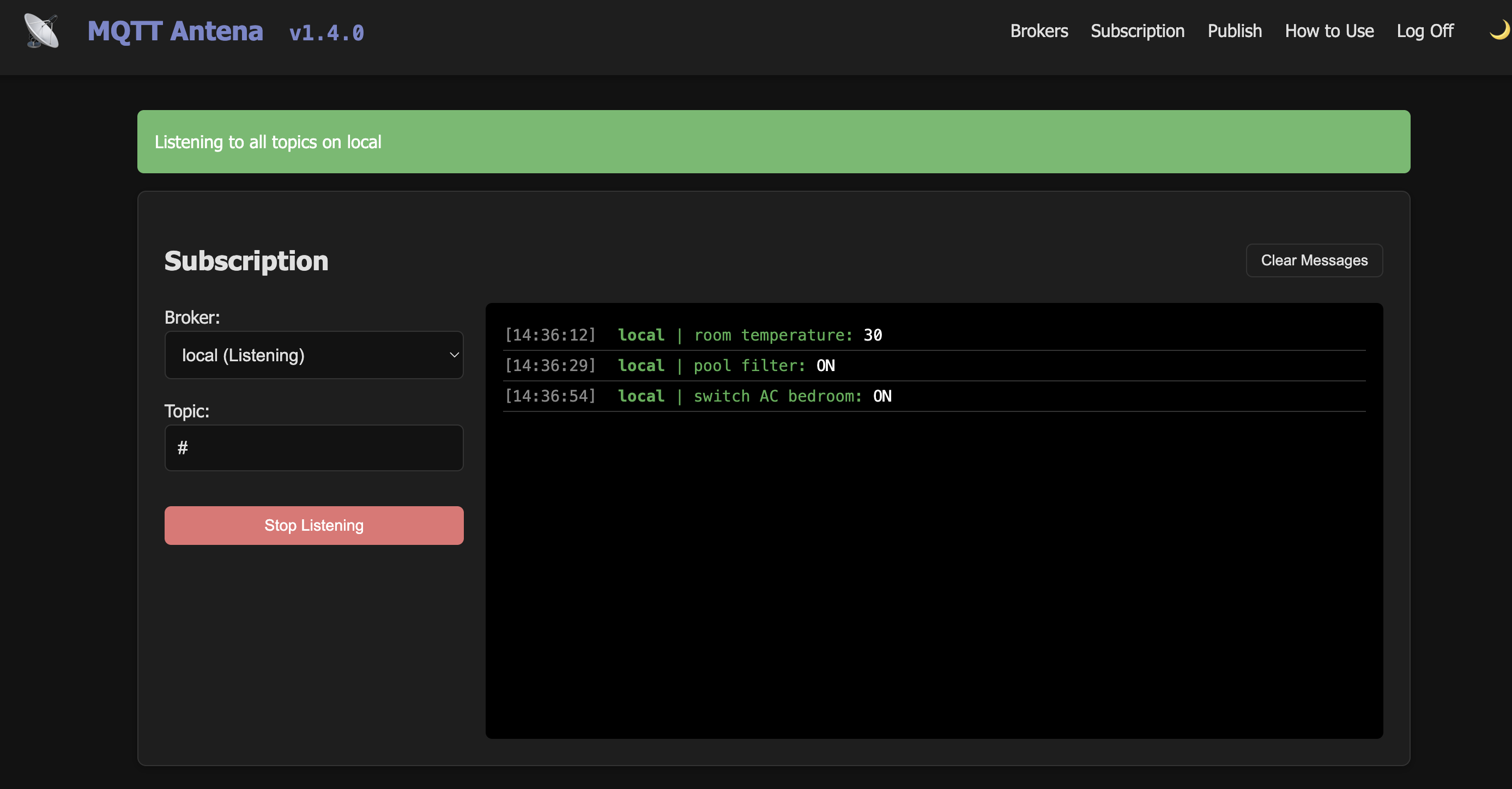
Features
- User Accounts: Simple registration (with password confirmation) and login system.
- Password Reset: Command-line tool for resetting user passwords.
- Broker Management: Add, edit, connect, and delete multiple MQTT broker connections.
- Live Subscription: Real-time message monitoring using WebSockets (Socket.IO).
- Subscription Filtering: Subscribe to specific topics or use the wildcard
#for all topics. - Message Publishing: Send MQTT messages with configurable QoS (0, 1, 2) and Retain flags.
- Aesthetics: Modern, responsive UI with light and dark mode support.
- Persistence: Persistent database storage using Docker volumes.
Security
- Password Hashing: User passwords are encrypted using
pbkdf2:sha256hashing. - Secret Key: The application uses a
SECRET_KEYfor session security. In production, you must set this via an environment variable.
Data Storage
What is stored
- User Accounts: Usernames and securely hashed passwords.
- Broker Configs: Names, IP addresses, ports, and optional MQTT credentials for each registered broker.
What is NOT stored
- Connection Status: Broker connectivity is runtime-only and starts as “Disconnected” on every app restart.
- Message History: MQTT messages are streamed in real-time and are not saved to the database. History is lost on page refresh or app restart.
Getting Started
Quick Start
🐳 Running on a Docker Container (see Dockerhub)
The easiest way to get started is to create a docker container:
docker run -d --name mqtt-antena -p 8585:8585 -v ./data:/app/data -e SECRET_KEY=your_secret_key_here --restart unless-stopped fbossolan/mqtt-antena:latest
Or you can create a docker-compose.yml file:
version: '3.8'
services:
  mqtt-antena:
    image: fbossolan/mqtt-antena:latest
    container_name: mqtt-antena
    ports:
      - "8585:8585"
    volumes:
      - ./data:/app/data
    environment:
      - SECRET_KEY=your_secret_key_here
    restart: unless-stopped
Then run:
docker-compose up -d
👨🏻💻 Running from the raw code
If you prefer you can clone the repo then run the command:
make run-flask
No matter the way you choose to run the application it can be accessed at http://localhost:8585/ (or the port you defined when building the container).
How to Use
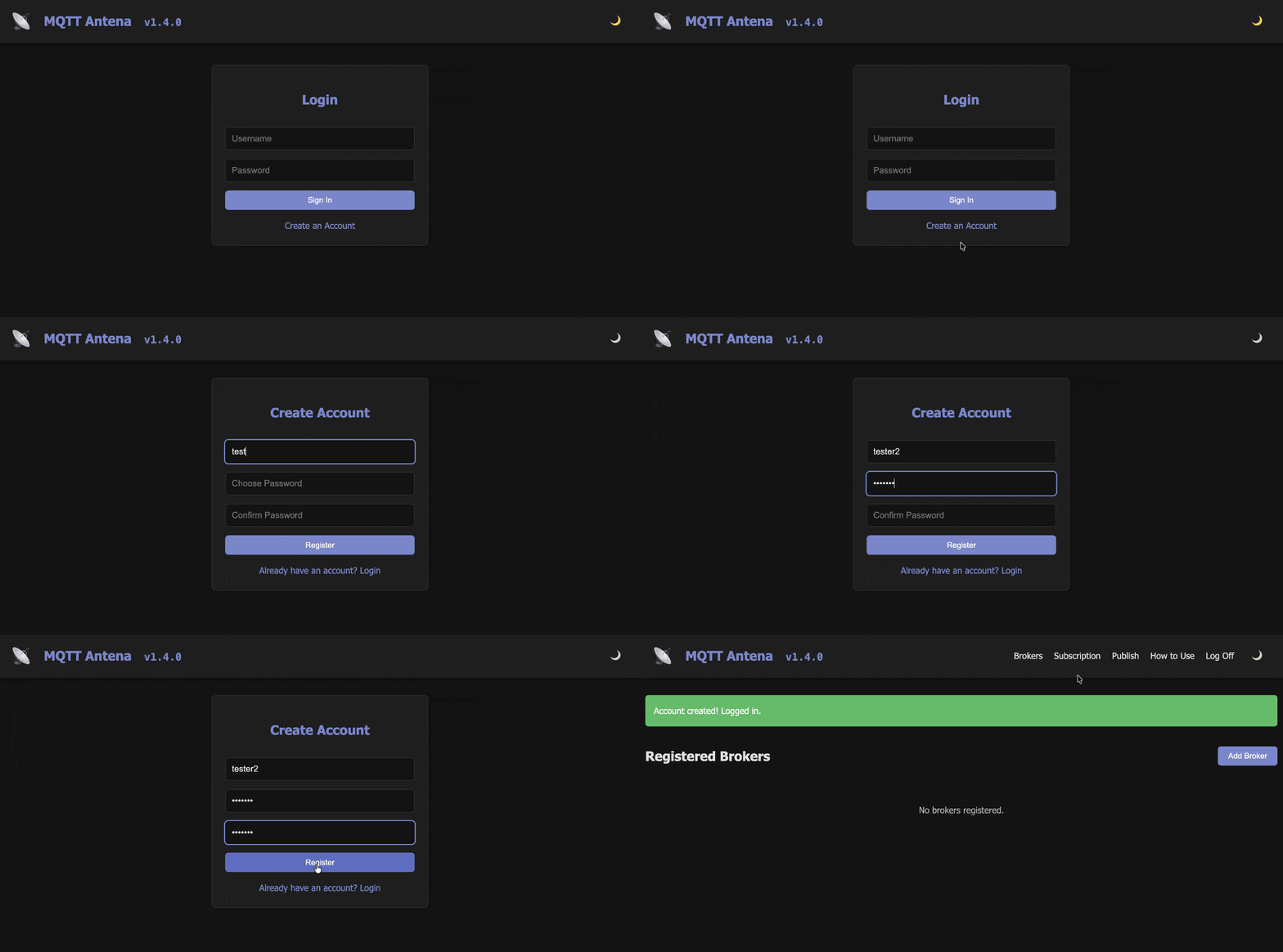
Register new user or login page:
You need to create a new user in order to use the application.
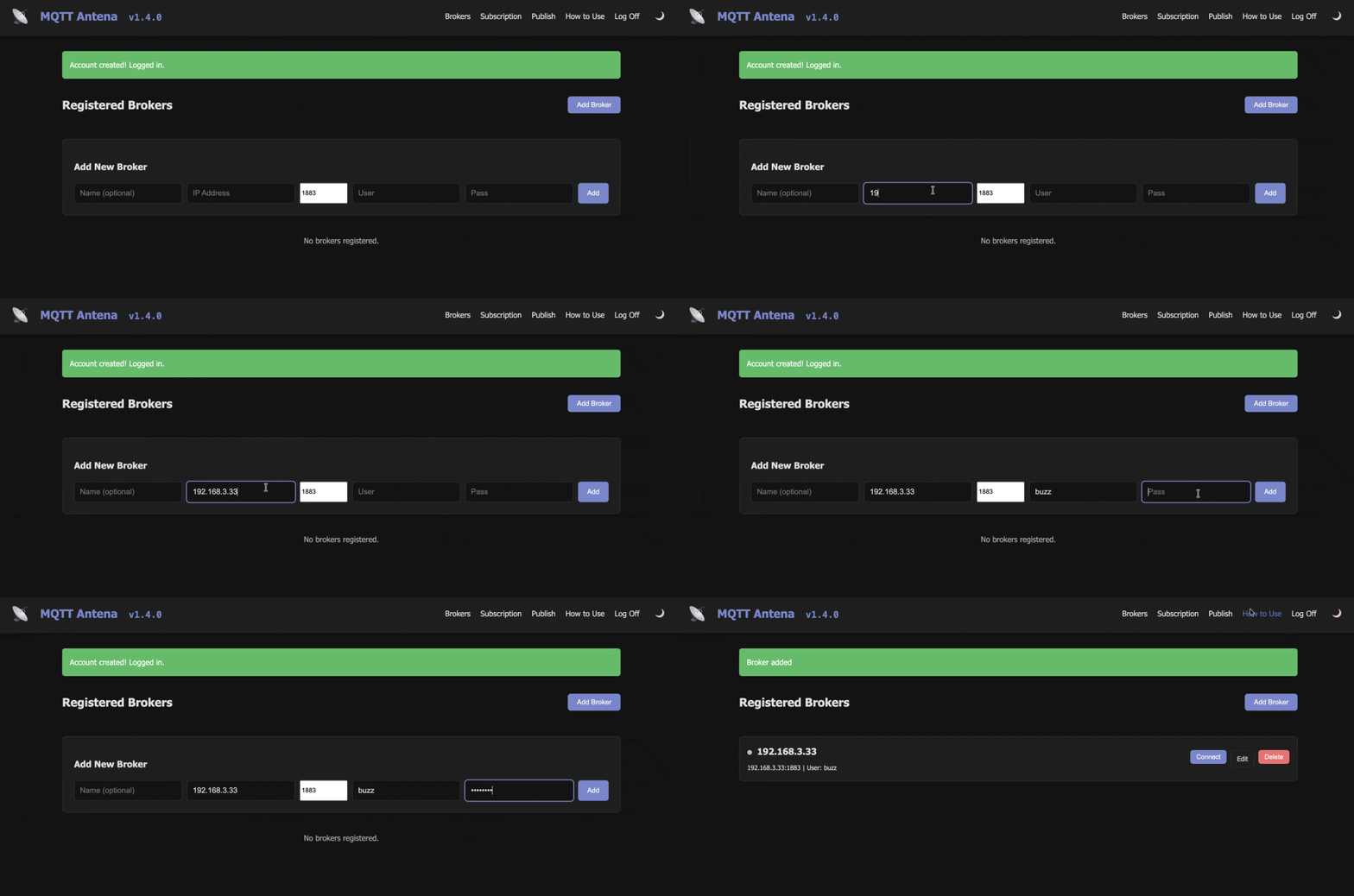
Register a Broker:
After login you need to register a new broker. Once the broker is registered you can connect to it in order to start using (sending or receiving messages).
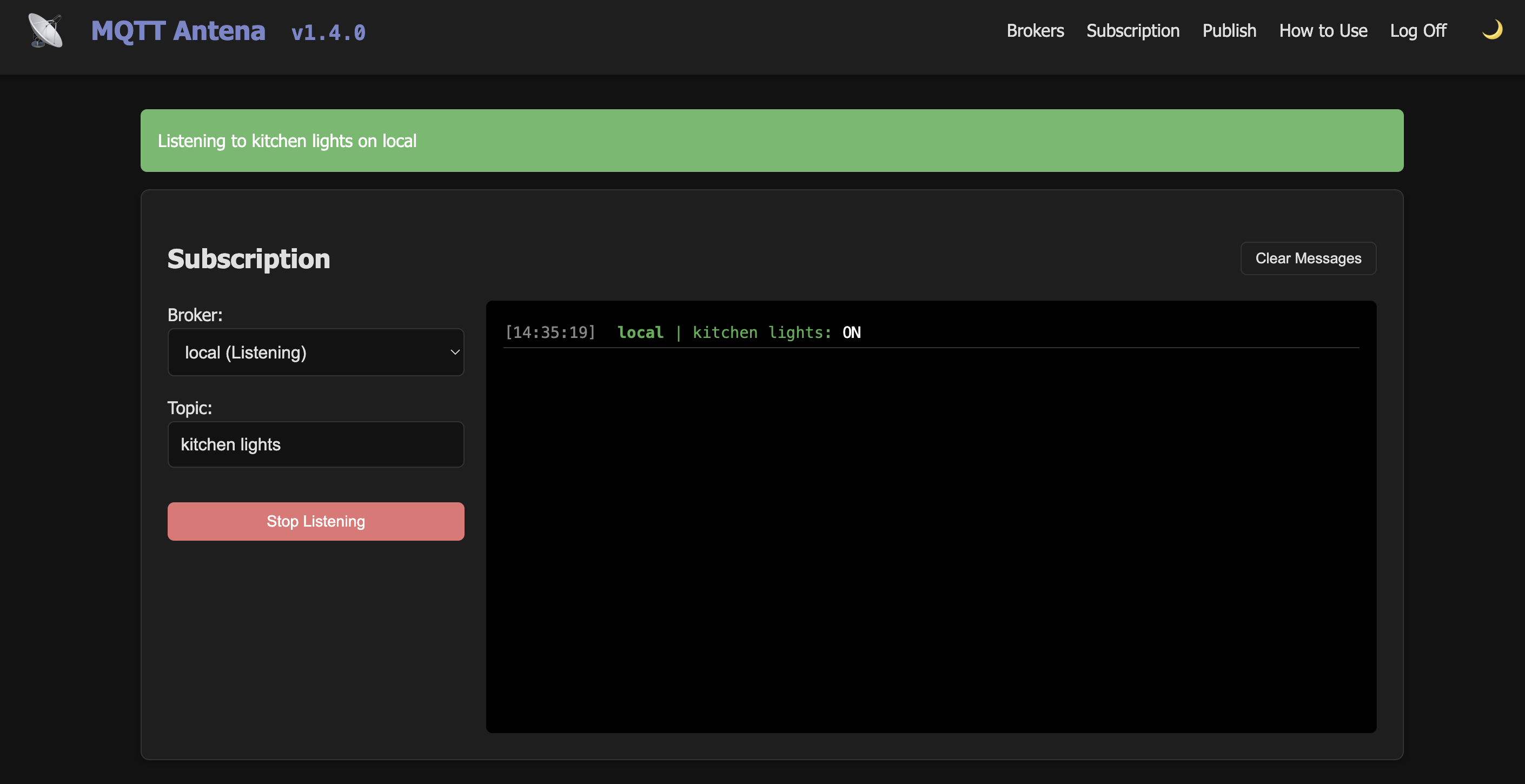
Subscribe to topics:
Once connected to a broker you can subscribe to topics. You can use wildcards (#) to subscribe to all the topics.
Subscribing to all the topics:
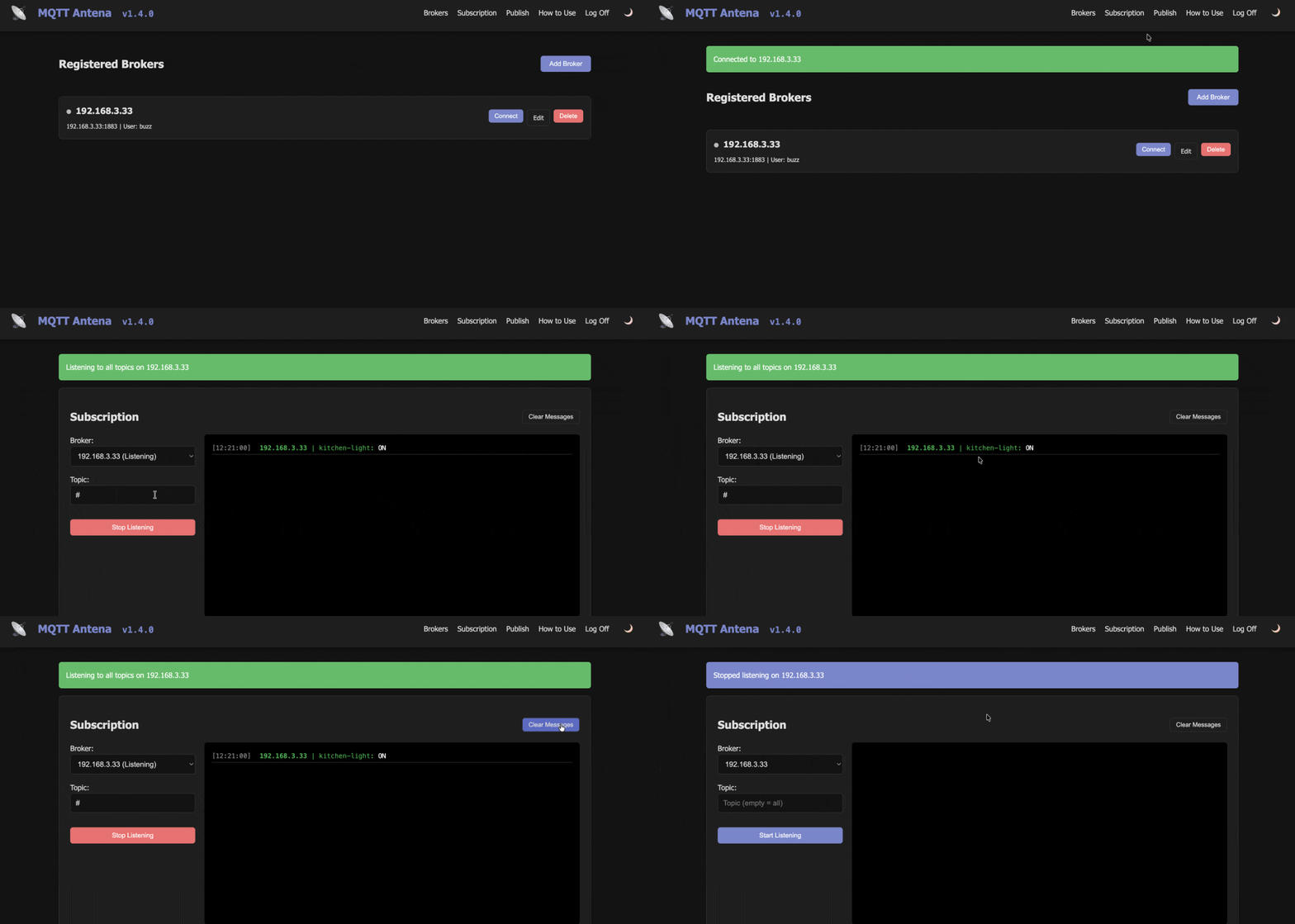
Subscribing to a specific topic:
Publish messages:
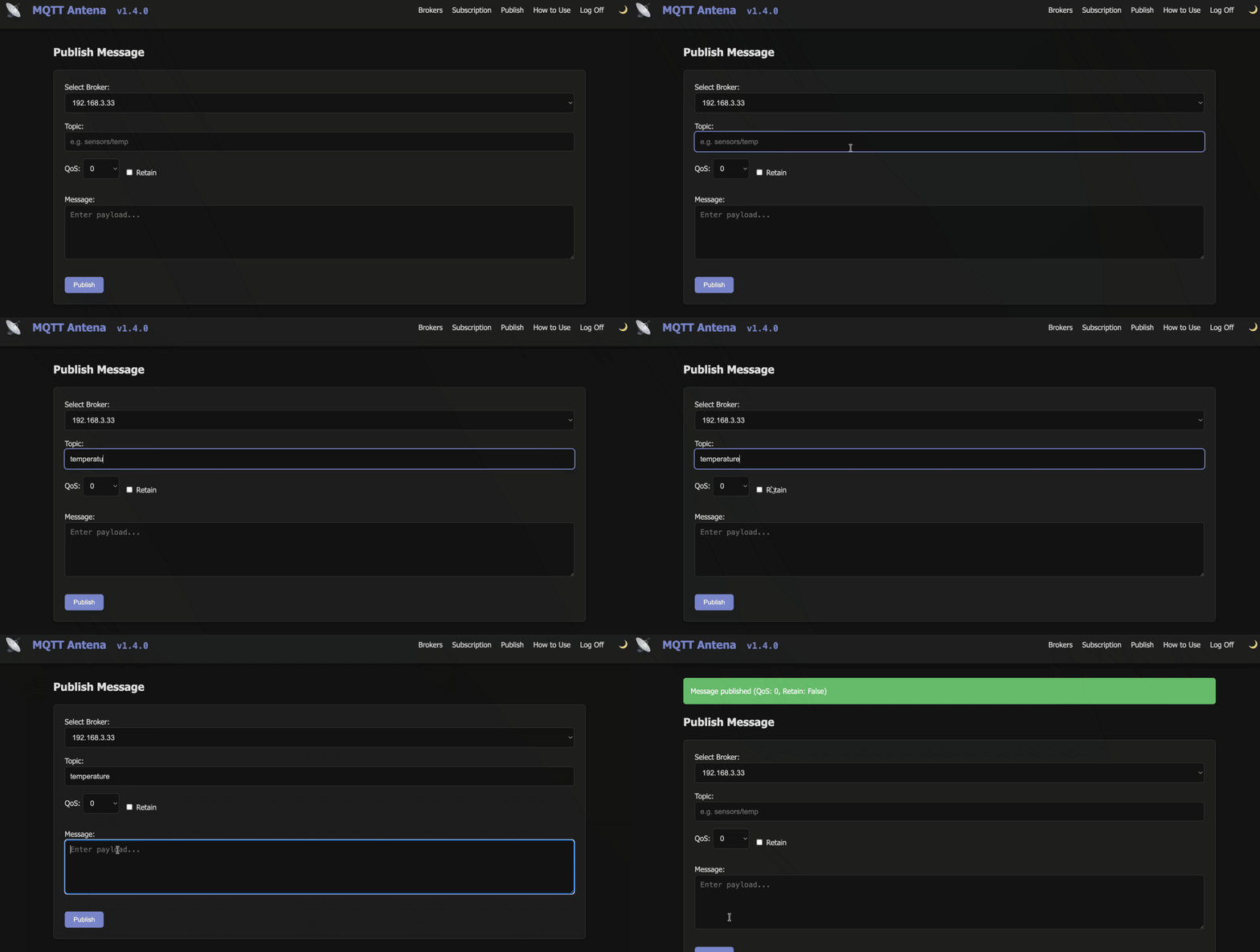
Once connected to a broker you can publish messages to topics. You can specify QoS level and Retain flag.
Password Reset:
In case you need to change your password, you can reset it inside a container’s terminal, just run:
FLASK_APP=src/app.py flask reset-password <USERNAME> <NEW PASSWORD>
License
This project is licensed under the MIT License.
Contributing
Contributions are welcome! Please feel free to submit a Pull Request or open an issue on Github. If the project grows we can write a more detailed contribution guide.
Regarding the Name
Antenna is a reference to the antenna of a radio, which is used to receive and transmit radio waves. In this case, the radio waves are MQTT messages.
But why “Antena” and not “Antenna”?
Because in Portuguese “Antena” is written with one “n”, and we want to give a little latin touch to the application.
If you like this project, please consider giving it a ⭐ on github.
Made in 🇧🇷